
Secure Cloud Online Backup
Online backup, also known as remote backup, is a method of offsite data storage in which files, folders, or the entire contents of a hard drive are regularly backed up on a remote server or computer with a network connection.
The rationale behind online backup is simple.
By frequently (or continuously) backing up data on a remote hard drive, the risk of catastrophic data loss as a result of fire, theft, file corruption, or other disaster is practically eliminated. With a high-speed Internet connection and a Web browser interface, the remote files and folders appear as if they are stored on an external local hard drive. Encryption and password protection help to ensure privacy and security.
FAQ
How often does the backup software run?
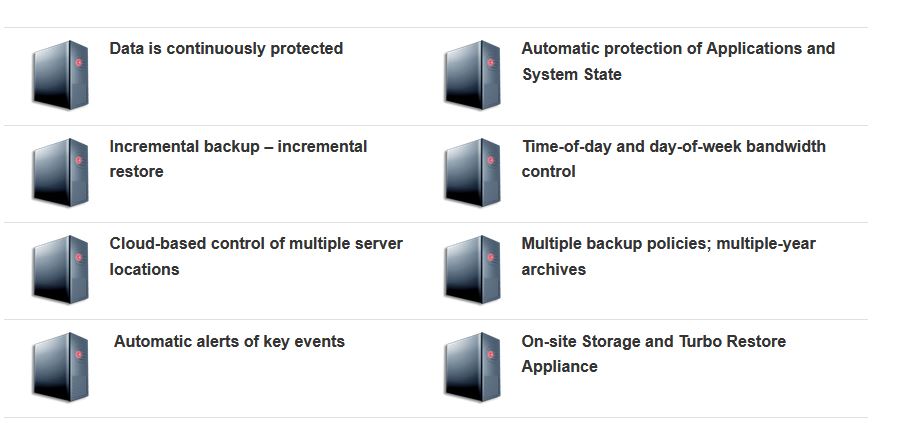
Most our clients have the backup scheduled to run every evening, that way you always have a current daily backup. The software can also run manually as many times a day as you require, its only one click to safely backup. Lastly you can use a powerful feature of our software called CDP (continuous data protection) it’s constantly running backing up files as they change.
Can I also backup locally using your software?
The server version has the ability to backup locally. Transfer rates are quicker from a local source so we advise that you backup locally and online in most cases.
Is my existing internet sufficient to use Secure Cloud Backup?
Yes, our software performs an incremental backup which means only the daily changes have to be copied across to our servers. Your data is also compressed with our powerful software which again improves backup speeds. On average a daily backup will take just 10 minutes.
Do I need a password and what happens if I forget it?
Every Online Backup account must have a password associated with it. The password is used as the encrypting/decrypting key. If you forget the password your data can NOT be recovered! We do offer a service where we keep your password, please call us for details.
How does Online IT Backup work?
Our specially designed software encrypts and compresses all your files before sending them via your existing internet line to our secure data centres, where your data sits safely on our servers. You can backup any number of workstations and servers automatically, the software does everything for you, it’s fully automated and fully supported.
I’ve received an email stating my quota is about to be reached or has been reached?
Your maximum backup quota size can be easily increased. Just call our team on 01539 234050 where they’ll be happy to help.
Which platforms and applications are supported?
Our software works on all the major platforms and applications including, Microsoft, Apple, Novell, Solaris, SQL server, Exchange, Lotus and Oracle.
I also have a home PC that needs protecting, can you help?
Of course please check our pricing structure for home users were more than happy to help.
Where do you store our data?
Once encrypted and sent your data is stored on the highest spec servers available. Both data centres are based in the UK and we guarantee that none of your data is ever sent aboard. Both data centres are guarded 24/7 with human security staff, have diverse power feeds, CCTV and layered perimeters. They also use VESDA & FM200 fire protection systems. Your data couldn’t be in a safer place.
Is support available, how do I contact you?
Support is always available to you when you need it. You can contact us via phone, email or the contact form on the website.
Is there a report to tell me the backup has been successful?
After every single backup has completed our server emails you a report which details if the backup has been successful or not and even if it was missed. The report gives you information on the times it took, the data files that were included in that particular backup and much more. The daily email report can be sent to as many email addresses as you wish.
How many backups & restores are included in the low monthly fee?
There is absolutely no limit to how many times you can backup and restore in any given month using the software or web based restore option. There is no extra cost for a seed backup and courier sent restore, please contact our support team for further details.
Is Secure Cloud Backup secure?
Security of your data has always been top priority ever since we started in 2006. Our business and school clients trust Online IT Backup to look after their sensitive data. Our standard level of encryption is 256-bit AES, its currently one of the most secure encryption methods used by the. U.S. Security Services for Top-Secret and Military communications.
Can I backup multiple PCs & Servers with my Secure Cloud Backup account?
Yes, with a single Secure Cloud Backup server account you can backup multiple servers and PC’s, remember though they all count towards your quota limit. The workstation licence is per PC/Laptop.
What is Secure Cloud Backup?
Secure Cloud Backup provides a reliable, secure and fully supported way to protect all the files, documents, databases and emails that your business depends on with our easy to use and cost effective service.
How can I restore my data?
You can easily restore a single file or your complete backup through the software installed on your PC or server. Another way to restore your data is by logging onto www.securecloudbackup.co.uk from any internet connected PC in the world, and select to restore any or all of your files. If you have a major restore that needs urgent attention we offer a next day courier restore service, please contact our sales team for more information.
Our Infrastructure
Our Datacentre sites have a minimum of 2 diverse routes entering our data centres at either end of the facility; the cables are routed securely to ODFs located in the frame rooms. All cabling within the facility is controlled by the datacentre, whereby carrier feeds are diverse and secure. Bandwidth is exclusively provided by Level (3), along with AboveNet, BT, ClaraNet, Global Crossing and Easynet to name a select few.
Power Stabalisers
Sites are carefully selected with UPS (uninterruptible Power Supplies) and stand-by generation systems, raised floors, cable management and air conditioning to ensure a resillient location for our important infrastructure equipment. N=1 power is filter-fed to each building to prevent surging, supplied at 230V AC for computer systems and 48V DC in telecoms suites. UPS delivery is backed up with high capacity power generators with at least 48 hours worth of fuel; ample to survive disaster scenarios
Access Security
- 24×7 On-Site Manned Security
- Personnel with Routine Checks.
- Customer Access List, Smart Card,
- Escorted Visits.
- CCTV Throughout the Facility Monitored 24×7
UK ONLY Data Centres
For the protection of our clients, all our datacentres are UK based. Not only does this ensure that you are storing your data in a politically stable country but it also provides you with the fastest access to your data as you don’t have to cross over the Atlantic Ocean or into Europe, which could prove to be a slow process. Additionally, you are protected by UK and Euqopean data transportation laws. This often prevents the transfer of sensitive data between countries without government approval first.
- Cooling & Fire Suppression
- Temperature of 230C (±20) in
Equipment Zone - Humidity of 50% (±10%).
- VESDA Fire Detection System.
- Double Knock High Fog Fire
Suppression System.
Carefully Selected Hardware
Unlike the majority of our competitor’s, we own and operate our own network of backup servers. This means greater control, better security and peace of mind for our clients. From the moment your encrypted data enters into the internet, our facilities take over and handle the data management and routing for you.
The servers themselves are housed in multi-million pound purpose built datacentres within the UK, They provide great levels of protection, which include fire protection, power stabilisers, full air-conditioning and authorised security on entry. Our datacentre locations across the UK are heavily protected against infiltration, fire and power outage. This is an environment where access is restricted to the welcome and the invited, 24 hours a day and 7 days a week. That’s why so many organisations trust us with their mission critical infrastructure.
Certified Partner Program
The Wholesale Program is designed for existing IT Services providers with a proven track record of delivering professional IT services to small and mid-market businesses in the UK.
By including Secure Cloud Backup products in your portfolio, you can access a range of enterprise-class, managed services to boost revenues and increase customer retention rates.
Zero infrastructure investment: fast time to market
The challenges of entering the SaaS market centre on the significant infrastructure investment required to establish an enterprise-class set of services, as well as selecting the right technology platforms that are scalable, flexible and the right ones for your customers. Not only does this take it beyond the means of many IT service providers, it can take many months or even years to establish a credible set of services. For many, it proves impossible to obtain a return-on-investment and the only choice is to remain restricted to providing traditional solutions.
Secure Cloud Backup has already done the hard work. We work with a range of world-class and proven technology vendors and provide access to some of the best infrastructures available. We make all of this available to our Wholesale Partners with zero up-front investment, zero delay and almost instant return-on-investment.
A range of services: one single bill.
Most providers offer a single technology or service. Yet your customers are not all the same and often you find yourself force-fitting the wrong solution to the wrong problem. Secure Cloud Backup’s Wholesale Program allows partners to select from a range of services in any proportion, as required by your particular customer. The more you use our services, the higher the margins you receive across all products. Each month a single bill is provided with a breakdown of usage by product set, providing simplicity and clarity.
Wholesale Partnering benefits and rewards
Wholesale Partners are supported with a range of benefits:
- Access to all Secure Cloud Backup products – providing a better fit to each of your customers’ needs
- Single aggregated bill for all services
- Named and direct access to second-line support engineers
- Sales and technical training programs
- Online portal for reporting and managing systems
- Option to re-brand or co-brand software
- Re-branded marketing materials
- Lead registration and protection
- Co-funded marketing campaigns
The Certified Partner Program is designed for IT consultants and solutions providers, accounting firms, IFA Networks and other affinity groups who want to provide value-adding services to clients, but without having to invest in delivering, insuring or supporting the solutions directly.
Include Secure Cloud Backup in your portfolio of services and let us help you sell, boost your service levels and increase your profits; all with a minimum amount of effort.
Less effort: more time
By combining enterprise-class technologies with service excellence we provide your customers with trusted solutions that enhance your own reputation. Importantly, they demand the least amount of intervention or resource from you. Secure Cloud Backup will help you sell, deploy and support the services with the sole intention of freeing up your time. You can then spend more time adding value services to your clients, winning new customers or running your business.
Fewer urgent calls: more planning
There is a cost to cheap services. Secure Cloud Backup services are built to work reliably and to scale. This means fewer support calls and faster resolution. Once you include Secure Cloud Backup in your service portfolio for your clients, you can turn a Sunday panic call (to solve an urgent data restore) into a planned visit on Monday (to discuss business continuity plans). In other words, Secure Cloud Backup will take care of the day-to-day issues and give you the information, tools, reports and time to plan what is best for your customer.
Flexible billing and support
We really believe in trying to make things easy and being flexible as at the heart of this. We are happy to bill your customers and pay you a commission removing any liability on you to provide the service or simply bill you for the service so you can include this on your clients existing bill.
The same is true of how we support you. To make things easy will we fit around you; whether you want us to provide your customers with 1st line support, out of hours support or just 2nd/3rd line direct support to you we are happy.
Because our goals are aligned, a trusted relationship will build.
Certified Partner benefits and rewards
Certified Partners benefit from the following free-of-charge:
- A discount or commission on all services provided
- Automated direct payments of commissions each month directly into a nominated bank account; no need to chase
- Expert help and guidance throughout the sales process
- World class support from expert staff provided to you or directly to your customers
- Discounted services that partners can use internally – see first-hand how valuable Backup Direct solutions can be
- Lead registration and protection
- Co-branded marketing material that allows prospective clients access to marketing and support materials and to register for free trials
Online Backup Features
Advanced Security
All of your data is compressed and encrypted before it even leaves your computer, to ensure it cannot be intercepted at any point, and even we cannot view the contents.
- Military Grade, 256-bit Encryption
- Secure encryption keys
- State-of-the-art UK data centre facilities
- Multiple site data replication
- Military Grade, 256-bit Encryption
The backup client on your computer compresses and encrypts your data before it leaves your computer, so no data is vulnerable at any point onwards. As standard we use the 256-bit Advanced Encryption Standard (AES). AES is currently rated as one of the most secure encryption methods, and is used and approved by the U.S. Security Services for Top-Secret and Military communications.
Secure Encryption Keys
All of your data is encrypted with a unique encryption key – this key is set by you and known by you alone. Without this key, your data is kept locked and encrypted. Data stored on our server is kept encrypted, and even our staff cannot decrypt it without your encryption key.
State of the art UK data centre facilities
We only use UK data centres, so we can guarantee that non of your data is being sent abroad. All of our facilities have multiple and redundant fibre connections to the internet, and offer 24/7 on-site staff, biometric access controls, and constantly monitored CCTV and security systems. Along with this, they use inert fire suppression systems, diverse power feeds and substations, UPS and Generator power backup systems with on-site fuel storage in the event of extended power outages.
Multiple site data replication
Not only is your data backed up from your computers to our systems, we also backup your backups! This gives you even more peace of mind, and double the protection for the same price. We replicate every bit of data you back up across multiple sites, each with diverse power and internet connections, so that in the extremely unlikely event that one facility does have an issue, your data is kept safe in another.
Affordable Protection
- Clear pricing structure
- Costs based on usage
- No additional hardware required
- All software included
- Unlimited UK technical support
- Clear pricing structure
- Instant quote generator
- Seed backup & bulk restore, price per gig
- Set licence price – workstation & server
- Price per gig of storage
Costs based on usage
Your backup costs are only billed according to how much data you actually back up, so you do not need to pay for wasted, unused storage.
Our software automatically compresses your data and depending on the type of data you back up, your backup archives will typically only take up 25%-50% of the size of the original files on your computer.
No additional hardware required
Unlike tapes, DVDs, hard-drives etc you do not need to buy any equipment or replacement media to use our backup service. We take care of all of the hardware, and your data is securely transferred over your existing broadband connection to our state of the art data centre facilities.
All software included
Your monthly bill includes the cost of the software clients loaded onto your servers and workstations. You do not need to buy any additional software to use our service, and our software works with the vast majority of systems out there.
Unlimited technical support
Should you have any questions or in the unlikely event you have any problems with the backup service, you can call our friendly UK support team. They will be happy to run through any queries with you at your own pace, or can remotely connect to your computer to assist you directly.
Of course if you have a data disaster and want help restoring your files we will offer all the help you need to get your data back and your business up and running again.
Instant File Recovery
Our backup service means that you do not have to go hunting for a tape in the archives, or go through any complicated restore process. It’s as simple as selecting what you want to recover, and clicking the mouse.
- Easy to use file browser and restore interface
- Revert to old versions of files
- Restore files to any computer
- Access your backed up files from the internet
- Unlimited restoration help
- Bulk restore service
- Easy to use file browser and restore interface
Our Secure Cloud Backup software lets you browse files that are saved on our backup servers easily from your computer. You can organise your files based on where they were saved, or when they were uploaded to make it easy to find what you are looking for.
Revert to old versions of files
Some backup systems fail when a file is overwritten or deleted accidentally, as the (incorrect) changes are saved to the backup as well. Secure Cloud Backup not only saves a copy of every file you choose to back up, but it also backs up changes made to files. By default, we retain 7 days of historical data, but if required we can retain up to 10 years of changes. This can be invaluable should a user overwrite or delete a file accidentally, and in some cases data retention is required by law.
Restore files to any computer
Data that is backed up can be restored from any computer, not just the one that made the backup. Should one user’s computer suffer a hard drive failure, they can quickly be up and running again by restoring their data to a colleague’s or a spare computer.
Access your backed up files from the internet
In the event of you not being able to get to your computer at all, for example if there is a building power cut, or equipment has been stolen, you can work from a home computer or any other computer with an internet connection. By logging into our web based control panel, you can see and download your files, but only as long as you have the encryption key of course.
Unlimited restoration help
Should you have any problem with your data, large or small, our support team is here to help and offer friendly advice. You can call them to discuss any issues you might have restoring your data, or allow them to remotely connect to your computer, and help run through it with you.
Bulk restore service
Should you need to restore a large amount of data in an emergency, for example if a file server is stolen or destroyed, we provide a bulk restore service. We can provide your data on physical media such as a USB hard drive, and courier it to you. We recommend leaving the data encrypted for security whilst in transit, and you decrypting it locally on arrival. However, if you prefer, we can decrypt it for you to save you the trouble.
Set & Forget
Fast sign up process
After a quick chat to determine your backup requirements, our sales team will be able to produce an instant quote tailored to your business. You will be emailed all of the details you need, and we will provide links to download our backup software, if you have not done so already. You can start using the service straight away!
Easy to download & install
Our backup client comes in two versions, for different types of computer systems. We will advise and provide links so you can easily download the right versions. The install process is just a matter of a few clicks.
Setup wizard to get you going
When you start the backup software, it will automatically show some basic options to get you started. On your workstation you can easily select to back up your documents, emails, internet favourites and other files. The wizard will set up a backup schedule for you, and your files will be backed up automatically.
You can always easily return to the settings to add more locations to back up, manage the scheduled backups, and other more advanced settings if you require.
Free installation service
If all of the above seems a bit daunting, our support team is here to help. They can remotely connect to your computer, and run through the set up process with you, just as if they were there at your desk. It takes a matter of a minute or two, and can be done at your convince.
Seed backup service
If your company stores a large amount of data, for example video or audio on a file server, the first backup you run could take a long time due to the limits of your broadband line. To speed things up, we provide a seed backup service. This allows you to make a local backup first, then physically provide us with the backed up, encrypted data. We load this onto our servers, then your backup client will only need to upload any changes made since.
System Support
Our role is to simplify the job of backing up your company data, and part of that role is to solve any problems and answer any questions that arise. To make it as easy as possible to get assistance, our support technicians can use a variety of methods to help:
- Telephone
- Website Enquiry
- Remote Support
- On site Support
- Telephone Support
Unlike many on-line services that are impossible to get hold of, we are proud of our telephone support service. Calls are normally answered in less than 60 seconds, and our UK based technicians are usually able to answer your questions there and then.
Email & Web Enquiry
For questions that don’t require an immediate response but are still important, you can use our email or website enquiry form. This also allows you to send us things like screen-shots and other information that may help us to solve the issue quickly.
Remote Support
For those times when a solution is not simple and may require some technical help, our technicians have a secure method of connecting to your computer remotely. This means they can access your computer via internet, as though the technician was helping you at your desk. This often speeds things up, and we can also provide help to install or configure the backup software features.
On Site Support
For those occasions when on-site help might be required, for example you wish to roll-out our backup service across a large network, we can help. Our skilled and professional technicians can visit your office anywhere in the UK. We can work with or train your existing IT staff if preferred. These situations are quoted as required, feel free to give us a ring to discuss your requirements.
Universal Platform
Our software can work on Workstations, Laptops, Servers and works with a wide selection of email and database technologies.
Our software supports:
- Most operating systems
- Workstations
- Mobile & Home Users
- File Servers
- Email Servers
- Database Servers
Supports Windows, Mac and more
Online IT Backup works with a wide variety of operating systems, covering all of the ones used in most businesses, including:
- Microsoft Windows
- Apple Mac
- Linux
- Novell Netware
- Unix
For full details please see our FAQ.
Workstations
Our workstation client is designed to be as easy to use as possible, so even the most technically challenged can be sure their files, documents and emails are backed up and safe. The workstation client will back up any documents, email, internet favourites, and any other files from a user’s PC or Mac.
Mobile & Home Users
Many businesses have trouble backing up laptops that are mostly used out and about in the field, or computers that are used by staff working from home. Our software can be run whenever and wherever these more vulnerable computers are connected to the internet, to ensure the data on them is safe and kept with the rest of the company data.
File Servers
Our Server client is designed to run on servers that do data storage roles. The File Server client has more advanced features than the workstation client, such as being able to set and schedule multiple backup jobs, local backup copy, run tasks before & after backup jobs and more.
Email & Database Servers
Our Server client includes support for many common business systems:
- Microsoft Exchange: Back up your entire exchange database so that you can restore from a server failure. We also provide mailbox, brick-level backup – allowing you the ability to restore individual emails and items from user mailboxes.
- Lotus Notes & Lotus Domino
- Microsoft SQL Database Server
- MySQL Database Server
- Oracle Database Server
For more information please check our FAQ.
Security / Filtering
Awareness and planning against network intrusion can prevent the un-authorised use of your network for sending spam, DOS (Denial of Service) attacks, inter-network attacks and even corporate identity theft.
Don’t Let Your Guard Down
Awareness and planning against network intrusion can prevent the un-authorised use of your network for sending spam, DOS (Denial of Service) attacks, inter-network attacks and even corporate identity theft. As we have the experience and knowledge to help you protect your network and critical data from network intrusion and malicious destruction, we offer the following services:
Website filtering and botnet Protection Powerful, Managed, lightweight malware + botnet protection.
Web filtering and blocking uniquely protects all internet browsing worldwide.
Firewalls
NWIMS Group offer a range of firewall solutions to guard your network and critical data against attack. We also offer an evaluation of your existing security measures and consult on critical and optional security enhancements.
Virus Invasions
NWIMS Group offer virus removal support, followed by recommendations on hardware and software solutions to prevent a repeat scenario.
Security Audits
NWIMS Group offer security audits to evaluate potential open access vulnerabilities via on-site and off-site, covering anti-virus, anti-spam, malware, spyware and un-authorised entry.
Contact us now on 01539 234040 or email us at This email address is being protected from spambots. You need JavaScript enabled to view it.
Remote Support | NWIMS IT Group
Remote IT and Network Support is just a phone call away when problems occur.
By using remote-access technology, you won’t have to wait hours or days for an Engineer to attend your site – you can have an immediate response within minutes!
The software used will allow us to remote into your Laptop | PC | Server from our offices, as long as you have a internet connection and allow us temporary access to your computer.
Our software is secure and offers, by default, Bank level encryption.
We offer one off and monthly Remote Support Contracts – please contact us for further details on 01539 234050.
Internet Monitoring & Filtering
Delivers real-time protection against malware and provides strong policy enforcement, with the added option of having the technology handled by our experts and augmented by our intelligence without you ever losing control.
Your employees rely on the web and email to do their jobs, but cybercriminals are lurking in the background 24/7.
A Secure Web Gateway responds by keeping your staff’s endpoints free of internet-borne malware infections, while enforcing your company’s policies.
DNS based threat protection and content filtering product, with over two dozen global points of presence and the most advertised global peers in the DNS filtering industry.
NWIMS & DNSFilter also offers its Webshrinker product line?—?a domain categorization database backed by tremendously powerful and accurate machine learning algorithms. By leveraging artificial intelligence, NWIMS & DNSFilter is able to stop more threats than it’s competitors, whom often take weeks to identify threats through human review.
There is so much cyber security advice available these days, many people find it hard to know where to start. Some organisations struggle to explain why cyber security is something that all staff should care about. Even larger organisations (with dedicated training resources) find it difficult to explain the technical aspects of cyber security in ways that are relevant to their staff, so that they can help keep their organisations (and themselves) safe from cyber attack.
For these reasons, NWIMS has teamed up with GCHQ and produced a new e-learning training package. Easy-to-use and takes less than 60 minutes to complete. The training introduces why cyber security is important and how attacks happen, and then covers four key areas: Defencing yourself against phishing | Using Strong Passwords | Securing your Devices | Reporting Incidents.
The training is primarily aimed at SMEs, charities and the voluntary sector, but can be applied to any organisation, regardless of size or sector. It’s been deliberately designed for a non-technical audience (who may have little or no knowledge of cyber security), with tips that complement any existing policies and procedures.
Secure Online backup, also known as remote backup, is a method of offsite data storage in which files, folders, or the entire contents of a hard drive are regularly backed up on a remote server or computer with a network connection.
The rationale behind online backup is simple.
By frequently (or continuously) backing up data on a remote hard drive, the risk of catastrophic data loss as a result of fire, theft, file corruption, or other disaster is practically eliminated. With a high-speed Internet connection and a Web browser interface, the remote files and folders appear as if they are stored on an external local hard drive. Encryption and password protection help to ensure privacy and security.
CCTV Security
NWIMS provide an extensive range of CCTV equipment, which we can tailor to meet the individual needs of your business. We offer the latest IP based digital solutions.
We advise you on the best solution to meet your current and future requirements. We have no allegiance to any one brand of equipment and offer free independent advice on the equipment that is right for you.
Online Backup Features